
Azure migration readiness in Singapore: ask these questions before moving a workload
Assess an Azure migration in Singapore with a workload owner, dependency map, region decision, cost model and tested acceptance and rollback criteria.
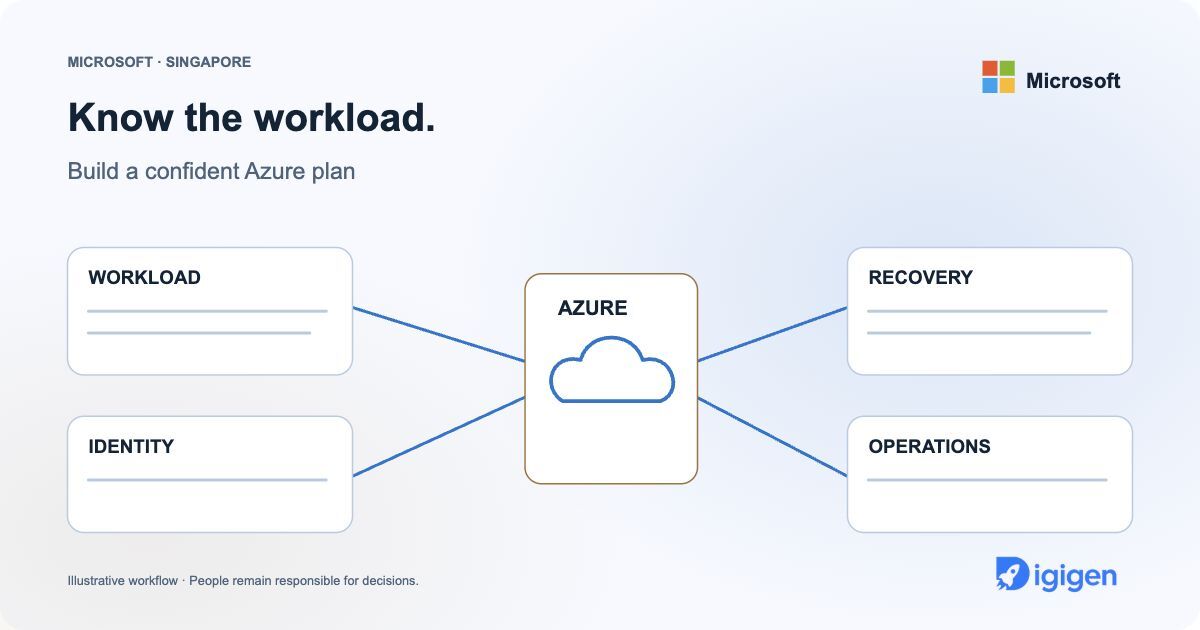
Original editorial illustration above. Not a product screenshot.
Define what the business needs to improve
A move to Azure can support a wider infrastructure strategy, but the destination alone does not define success. A Singapore business may need more predictable recovery, a supported application platform or a better way to manage an expanding environment.
Write the desired outcome in business language and name the person who will approve it. Then record what must remain true during the move: customer access, processing schedules, data integrity and operational responsibilities.
Map the workload beyond the server
Microsoft’s Cloud Adoption Framework describes assessment across architecture, dependencies, performance, security, code and databases. Its migration planning guidance also covers sequencing and rollback. Use that as a foundation for your own plan. Review Microsoft’s workload assessment guidance.
Our practical recommendation is to ask the workload owner about the connections a discovery tool may not explain: scheduled exports, third-party support arrangements, licence dependencies and business peaks.
Use a readiness record for each workload
Ownership
- Evidence to collect
- Business owner, technical owner and acceptance authority.
Dependencies
- Evidence to collect
- Databases, APIs, identity, network paths and external systems.
Operations
- Evidence to collect
- Monitoring, patching, support and recovery responsibilities.
Architecture
- Evidence to collect
- Target services, identity, connectivity, security controls and region choice.
Economics
- Evidence to collect
- Estimated consumption, licences, migration and ongoing operation.
Acceptance
- Evidence to collect
- Functional, performance, access and recovery tests.
Unknown items should stay visible as questions with owners. Do not turn a missing measurement into a zero cost or a zero risk.
Choose regions by workload requirements
A Singapore address does not automatically decide where every workload should run. Check service availability, performance needs, resilience design and the organisation’s contractual or regulatory requirements. Document the decision and have the appropriate owners review it.
Do not assume selecting a cloud region proves compliance or that every Azure service behaves identically. The architecture should explain how data, identities, backups and operational access are handled.
 Illustrative workshop scene from Digigen’s visual library; not a customer case study.
Tap or click to enlarge
Model the complete operating cost
Start with the services and usage pattern, then include storage, network movement, backup, security, licences and the people who will operate the environment. Identify which assumptions are measured and which are estimates.
Compare options over an agreed period. A reservation or commitment may be useful only after the usage pattern is understood. Avoid presenting a migration as a guaranteed cost reduction before measuring the existing environment and modelling the proposed one.
Pilot a representative path
Choose a workload that teaches you something useful about the wider move. Test identity, connectivity, monitoring, recovery and the business process—not only whether a virtual machine starts.
Agree how the team will pause, recover or roll back if a test fails. Some data changes complicate rollback, so the plan must fit the system. Microsoft’s migration planning guidance is a reference, while your acceptance criteria should reflect your own application.
Leave with a decision, not a slide deck
The readiness review should produce a clear recommendation: proceed, fix specific blockers first or retain the workload while another option is assessed. Record owners and next actions. A decision to delay can be useful when it prevents a poorly prepared production change.
Digigen helps Singapore teams assess and plan cloud environments around business requirements. Review Azure services in Singapore or compare Google Cloud options, then request a workload readiness conversation.
Frequently asked questions
Does moving to Azure always reduce cost?
No. Compare the current environment with a complete target cost model and operating plan. The result depends on architecture, usage, licensing and commitments.
Should every workload move at once?
Not by default. Assess dependencies and business risk, then group work into appropriate migration waves.
Can selecting Singapore as a region prove compliance?
No. Region selection is one architecture decision. Data handling, contracts, access, recovery and organisational obligations also need review.
What should a readiness review deliver?
A workload record, known blockers, target assumptions, costs to validate, acceptance criteria and a decision with named owners.
Your next step
Bring one challenge. Leave with a clearer next step.
Tell Digigen what you need to improve. We can help you review the options and scope a practical way forward.
Product sources
Product references checked 13 November 2026. Workflow checklists, examples and evaluation methods are Digigen editorial recommendations.