
Gemini in Gmail is reaching more Workspace users: two features worth trying
Google is expanding Gmail thread summaries and Help me write. See the rollout, account requirements and two useful experiments for everyday email.
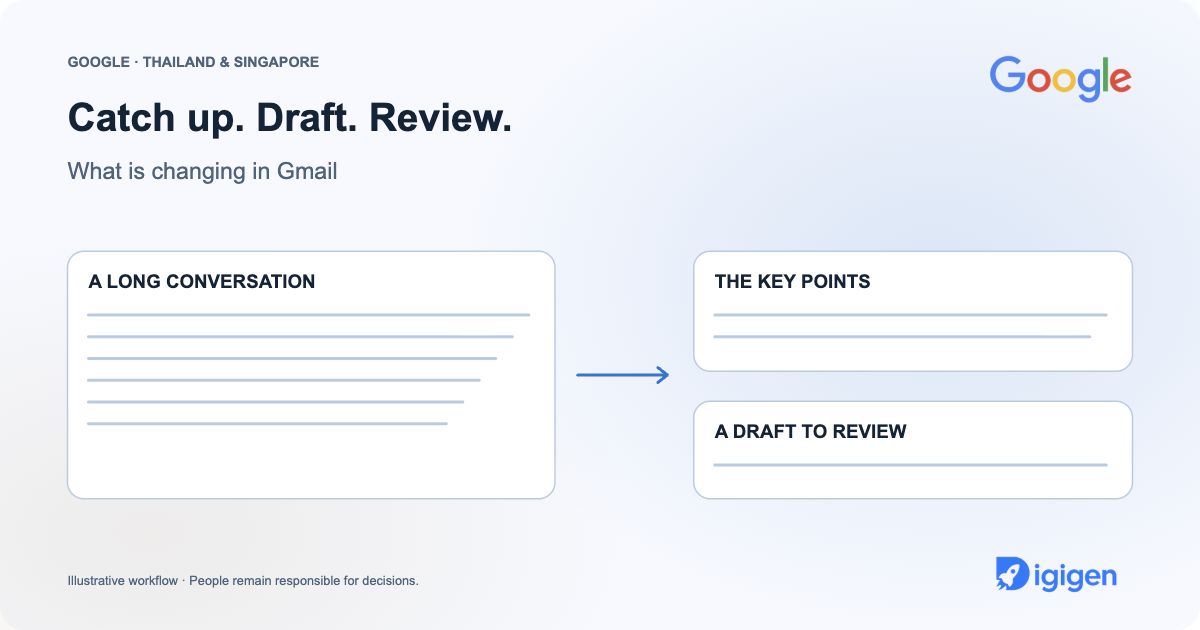
Original editorial illustration above. Not a product screenshot.
What has changed?
Google is expanding two Gmail features to Workspace users aged 18 and over: AI-generated conversation summaries and non-personalised Help me write. Gmail smart features must be enabled, and administrator settings also matter. Both Rapid Release and Scheduled Release domains are included in a gradual rollout beginning 10 November, with visibility taking up to 15 days. Read the official Gmail announcement.
If a colleague can see the feature and you cannot, that difference alone does not mean your account is broken. Check the account and settings before changing anything.
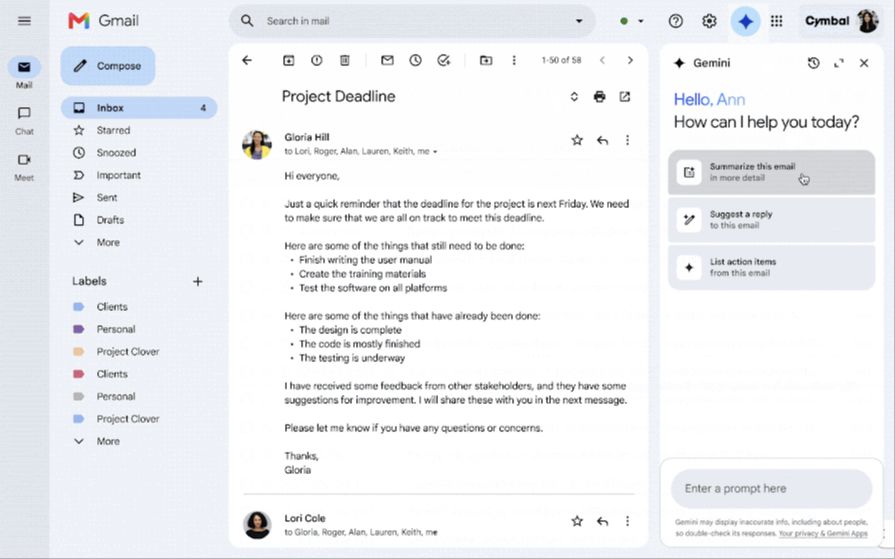 Review a Gmail conversation with Gemini in Google’s product demonstration.
Tap or click to enlarge
Official product visual source: Google. Vendor demonstration, not Digigen customer data.
Try it on a conversation you already understand
Our suggested experiment: choose a non-sensitive thread about an internal meeting. Read the messages first, then compare the generated summary with your own understanding. Does it preserve the latest decision? Does it distinguish a suggestion from an agreement? Does it miss a correction near the end?
The point is to learn where the summary helps you re-enter the conversation. Keep the original thread as the source of truth for dates, commitments and anything you intend to forward.
Use a draft as a starting point
Next, try an ordinary follow-up that you could comfortably write yourself. For example: “Draft a short, friendly reply thanking the team for the meeting and asking them to confirm the next review date. Do not invent a date or promise a delivery.” This is an illustrative prompt, not a product screenshot or a tested customer result.
Before sending, check the recipients, names and commitments. Remove language that does not sound like you. A fluent draft can still say something you did not intend.
For Thai and English conversations
Teams in Bangkok and Singapore often switch language within one working day. Our recommendation is to evaluate the languages you actually use rather than assume an English example proves the quality of a Thai reply. Pay attention to names, levels of formality and whether a polite request has become a firm commitment.
This article does not confirm language availability for every feature or account. Check the current help documentation and the controls shown in your own Gmail before relying on a particular workflow.
A small habit to keep
For one week, note when the feature was useful and when you rewrote the result. You do not need a company-wide AI programme to discover whether a shorter email task feels easier. A simple record—task, correction and final result—is more helpful than a claim about hours saved without evidence.
Want a more structured experiment later? Our Singapore Workspace guide and Thailand Workspace guide explain the wider service context. For now, choose one ordinary thread and see what you learn.
Quick questions
Why is the feature not visible yet?
The announced rollout allows up to 15 days from 10 November. Age eligibility, Gmail smart features and administrator controls also affect access.
Does this add every Gemini feature to our plan?
No. The announcement concerns the two named Gmail features. Check other capabilities and account requirements separately.
Official sources and dates
Checked 14 November 2026. Rollout descriptions reflect the announcements linked here; account availability may differ. Exercises and recommendations are Digigen editorial guidance.