
Gemini Google Workspace
New ways to engage with Gemini for Workspace
Practical Gemini workflows for Thailand and Singapore: document briefs, customer replies, mobile handovers, permissions and a controlled rollout.
When an inbox, document and project folder tell different parts of a story, the useful AI task is to help a person understand the context and prepare the next step. For teams in Thailand and Singapore, start with a recurring piece of work that has a clear owner and a checkable answer.
Turn a long document into a reviewable brief
In Docs, use an approved project document to prepare a short brief for a specific reader. Ask for the decision needed, the supporting facts and any missing information. Give the reviewer the source document as well as the draft. A fluent summary is not evidence that every conclusion is supported.
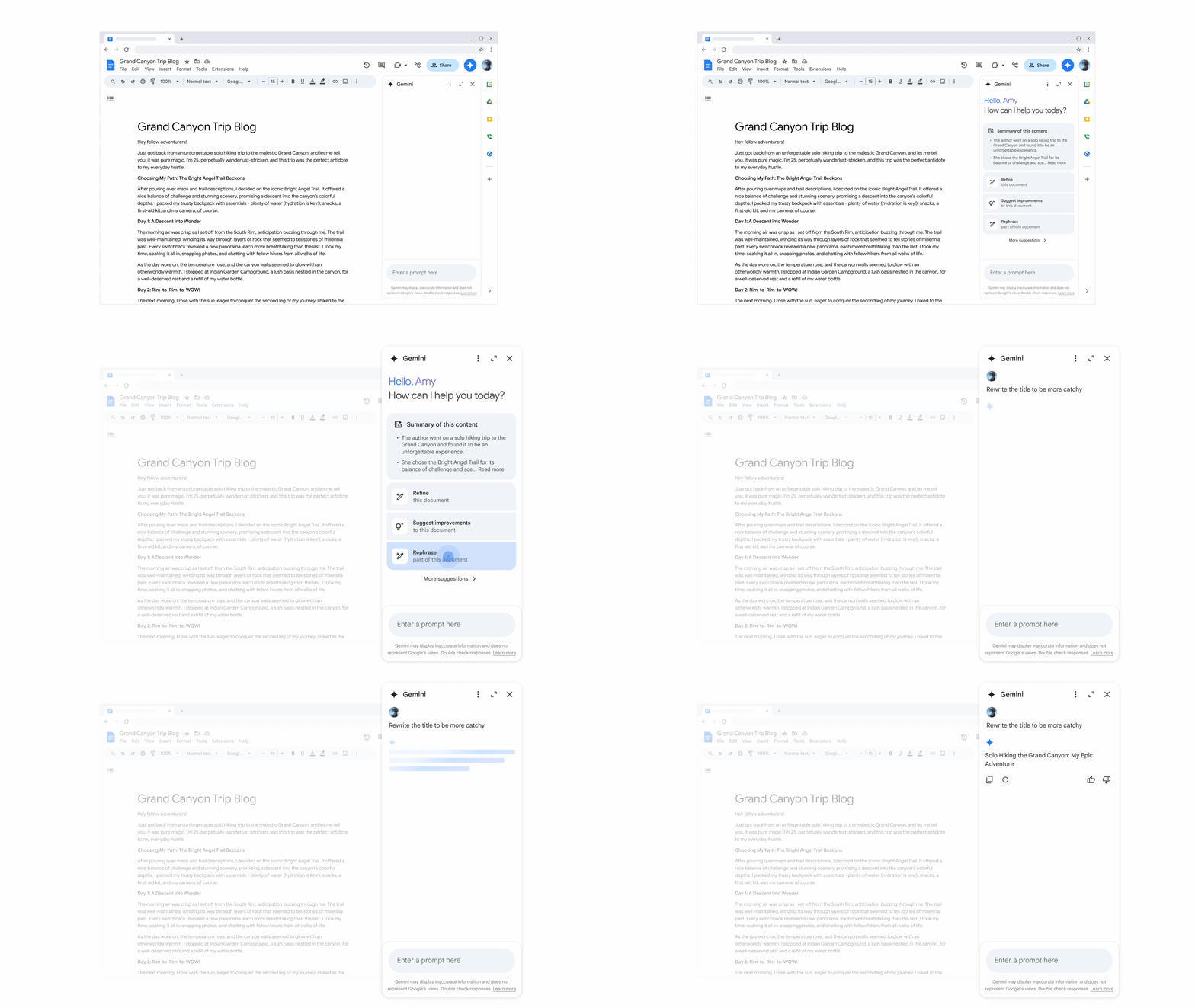 Gemini in Docs side panel providing a summary and suggested prompts
Tap or click to enlarge
Prepare a customer reply from approved information
For an email thread, ask Gemini to identify the customer’s open questions before drafting a response. Check product names, delivery commitments, amounts and dates against the original messages. If a response needs details from a file, confirm that the file is the current approved version and that the user is entitled to access it.
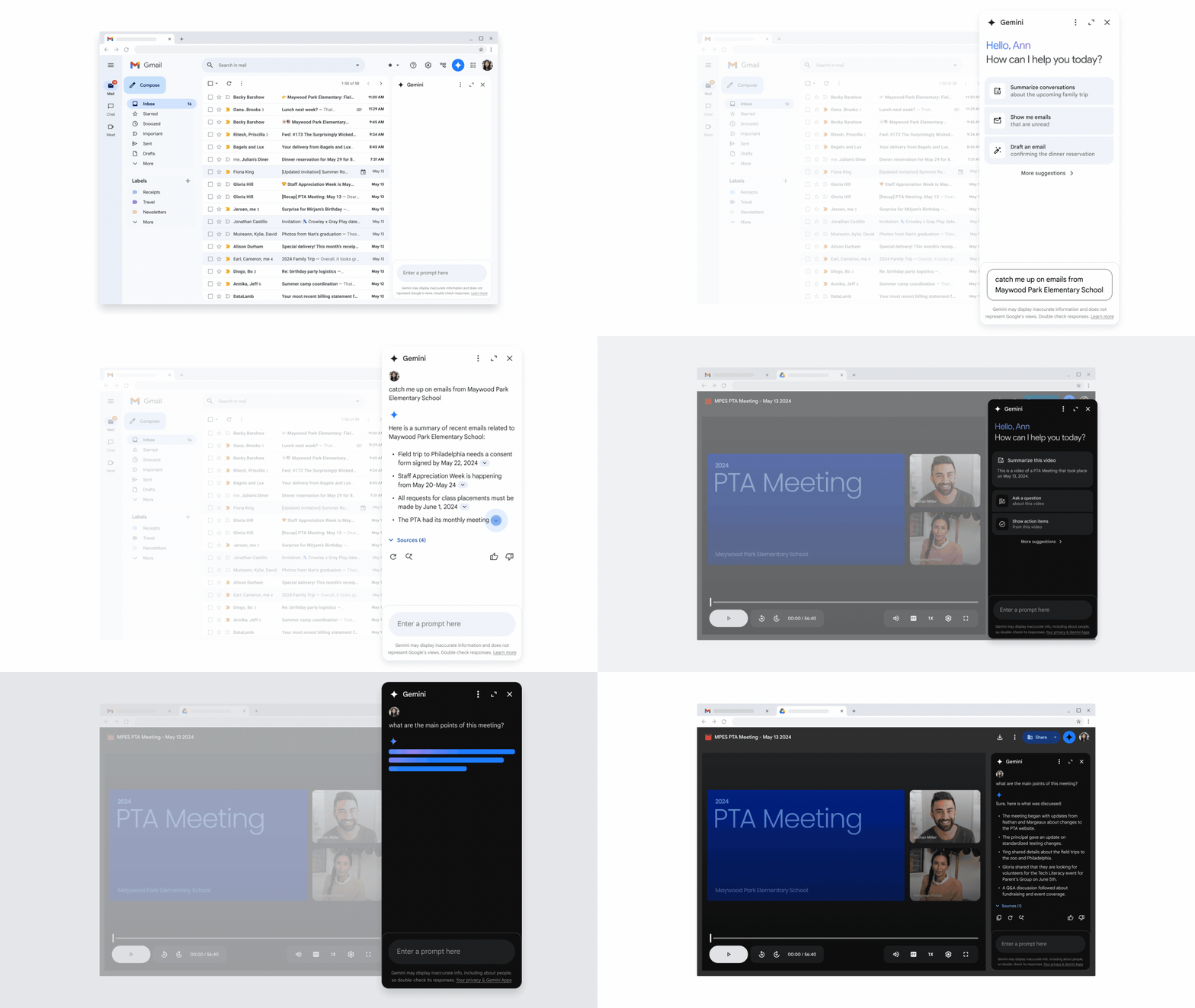 Gemini in Gmail side panel summarizing recent emails and the main points of a meeting recording
Tap or click to enlarge
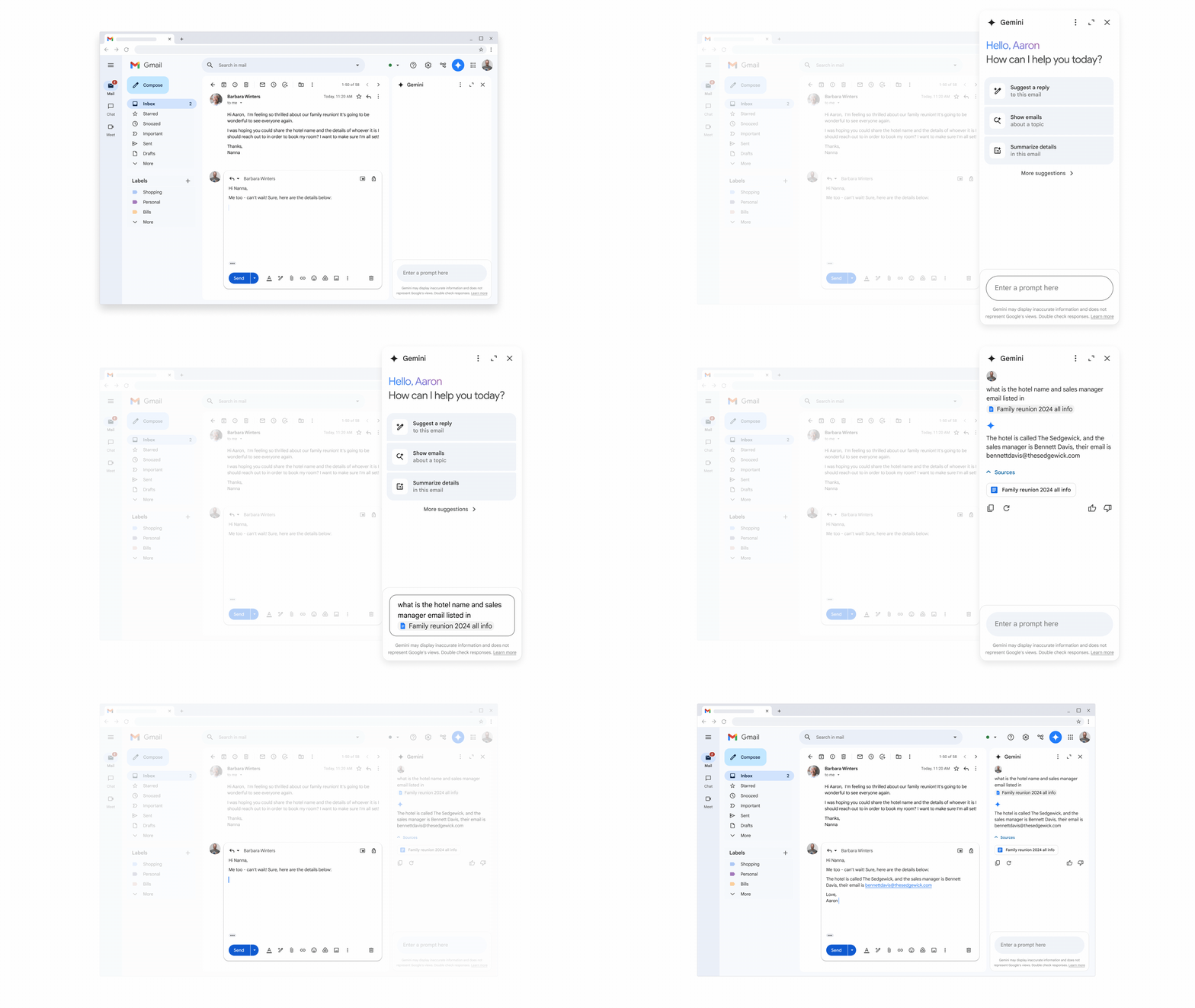 Gemini in Gmail side panel providing information from a file in Drive
Tap or click to enlarge
Test mobile work separately
A field employee reading a long thread on a phone has different needs from a colleague drafting at a desk. Test the actual mobile app, account and language before writing training instructions. A useful exercise is to prepare a handover with the customer, issue, owner and next action, then compare it with the original messages.
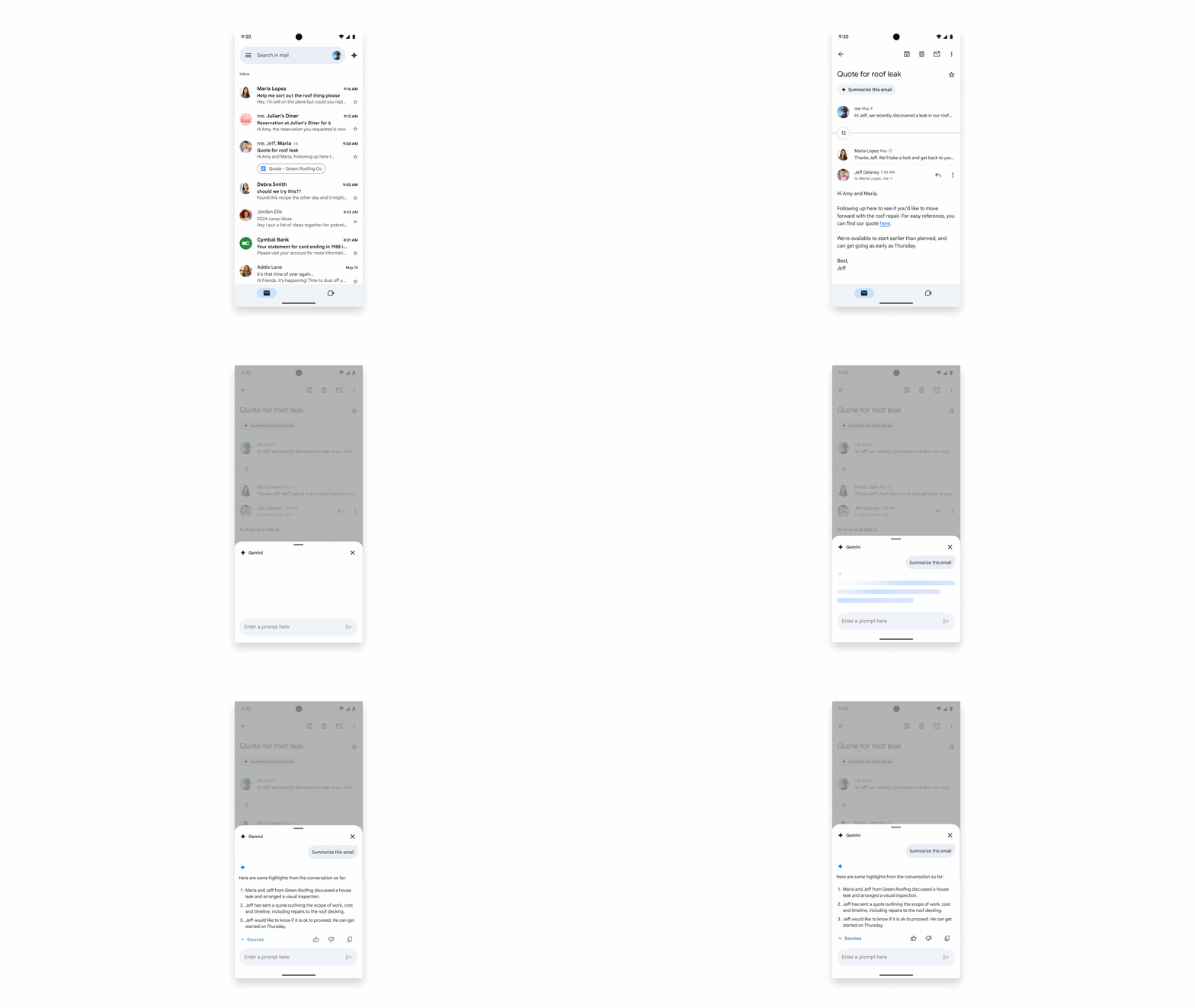 Gmail mobile demo: summarise a conversation.
Tap or click to enlarge
 Gmail mobile demo: review a suggested reply.
Tap or click to enlarge
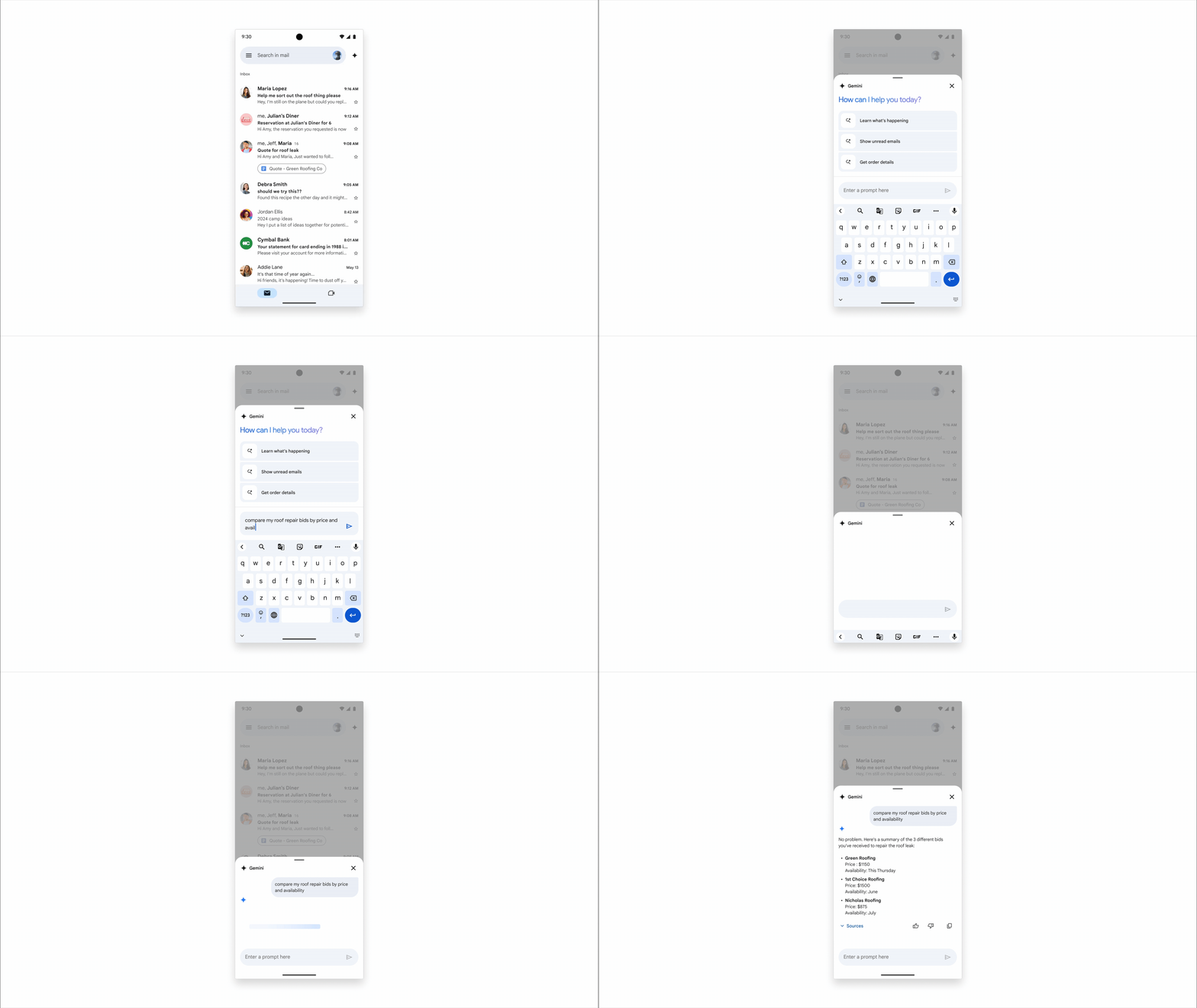 Gmail mobile demo: compare information from your inbox.
Tap or click to enlarge
Treat receipt handling as a controlled workflow
Extracting information from an attachment is only one part of an expense process. Decide where the document belongs, which fields need checking and who approves the amount. An AI-generated suggestion should not be treated as permission to pay an invoice, send a message or update a financial record.
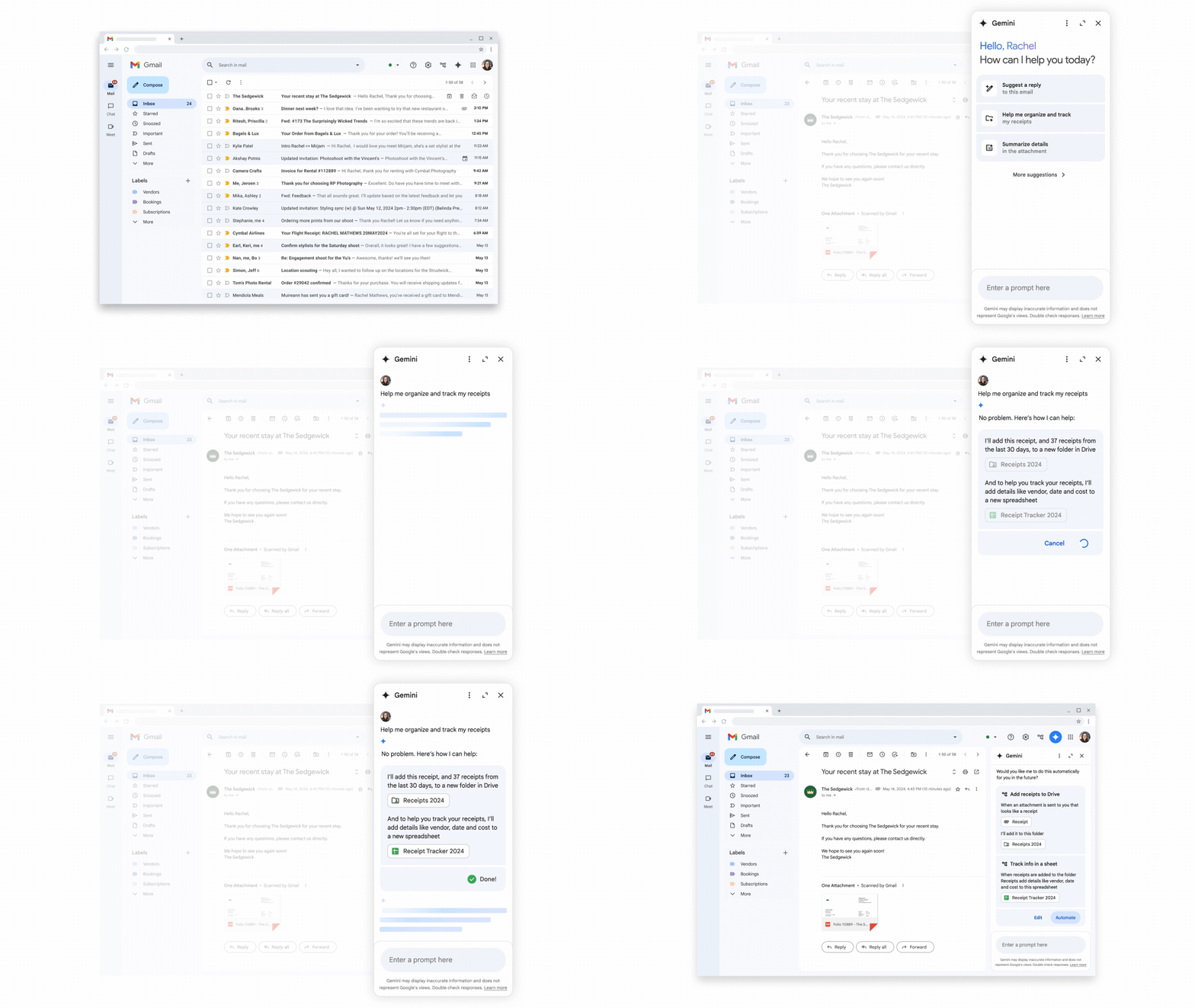 Gemini in Gmail helping you automatically organize and track receipts
Tap or click to enlarge
Check entitlement before planning the rollout
Google moved Workspace AI capabilities into Business and Enterprise packaging in 2025. That does not mean every edition has the same features or usage limits. Check the current edition, administrator settings, supported language and rollout status for the task you want to teach. A personal Google AI subscription is not a substitute for reviewing a company’s Workspace licensing and data controls.
- Choose one workflow and a small pilot group. Record the current process and the mistakes a reviewer needs to catch.
- Prepare approved examples in the languages used by the team. Include missing information and a question that should be escalated.
- Compare the result with the original source, collect feedback and revise the instructions.
- Expand access only when the task owner can explain the checks, support route and ongoing cost.
Use the Workspace training guide to turn the pilot into a repeatable learning plan, and review Workspace security and sharing practices before connecting wider information.
Review Google Workspace for Thailand or Google Workspace for Singapore for the current plan options, billing terms and local implementation support.
Digigen can help you scope the work, configure the platform and train the people who will use it. Talk to our Thailand team or contact Digigen in Singapore. Human support is available from 9am to 6pm on business days; AI agents are available 24/7. Agree the support scope and escalation route for your environment.
Sources and current documentation
Google’s Workspace AI packaging update · Current Workspace AI feature guidance · Business data protection and product FAQ